Winston · Deal Calculator

Price your deal and get it approved, in one place.

The Deal Calculator replaces the deal-structure spreadsheet. You fill it in from your opportunity, submit it, and the approved version stays in Winston as the record.

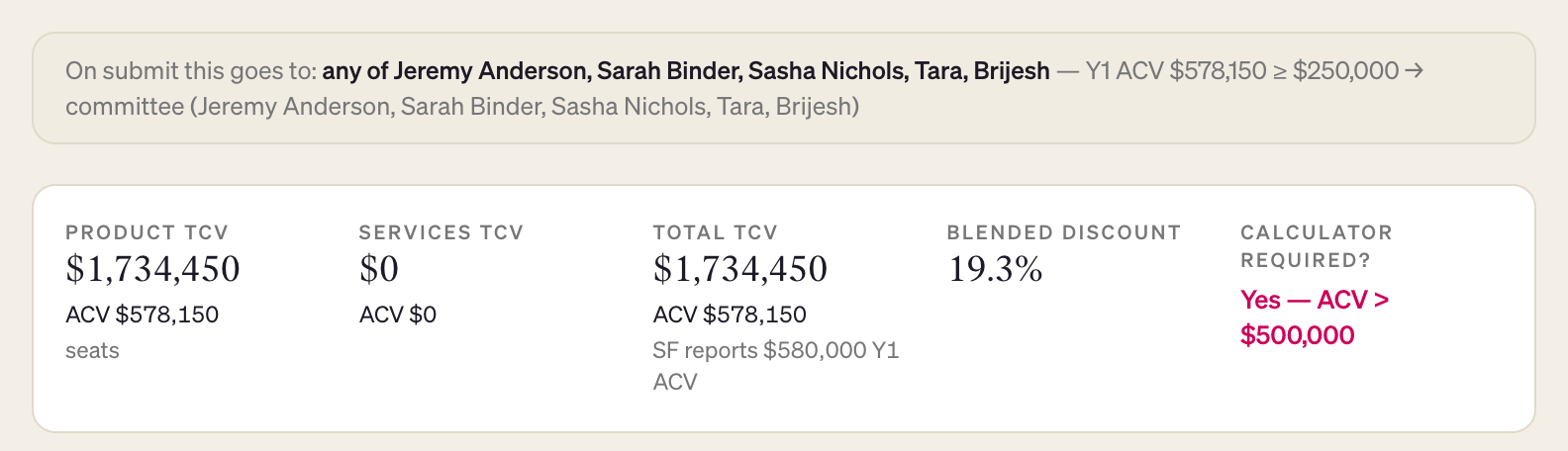
Required when Year 1 ACV is over $500K

Optional at or below $500K. The summary strip tells you which applies to your deal.

Quick start

Five steps. Save as you go with the button at the top right; nothing is sent until you submit.

1

Start from your deal

In My Deals, open the deal, go to the Calc tab and click Start calc for this deal, then Start calculator. You can also click New calculator in the Deal Calculator and search by account name.
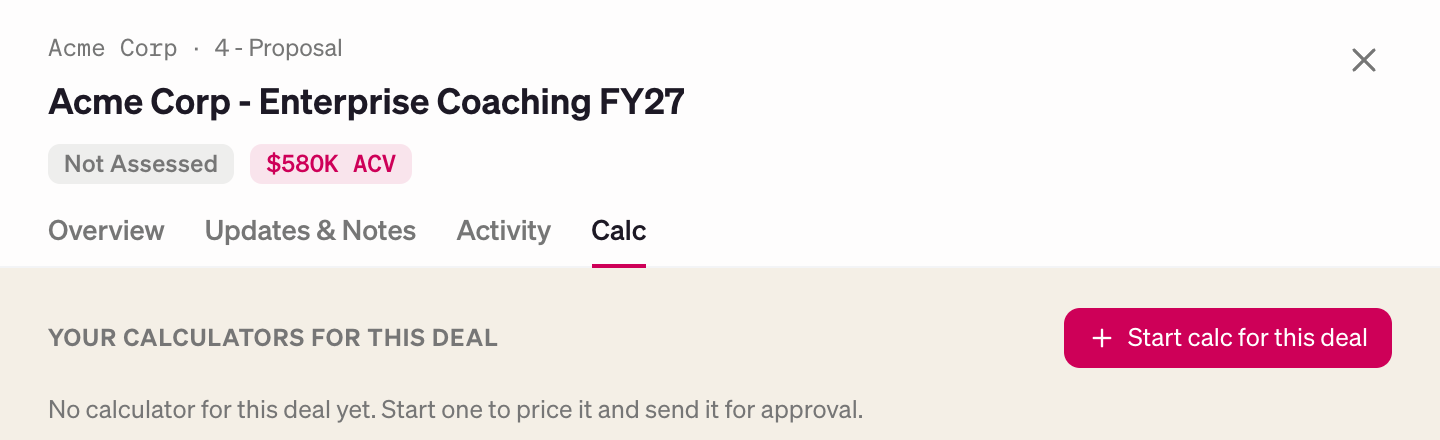
Deal drawer in My Deals with the Calc tab open and the Start calc for this deal button 1 2
  • 1Calc tab
  • 2Start calc for this deal
2

Check the Salesforce fields and the quote

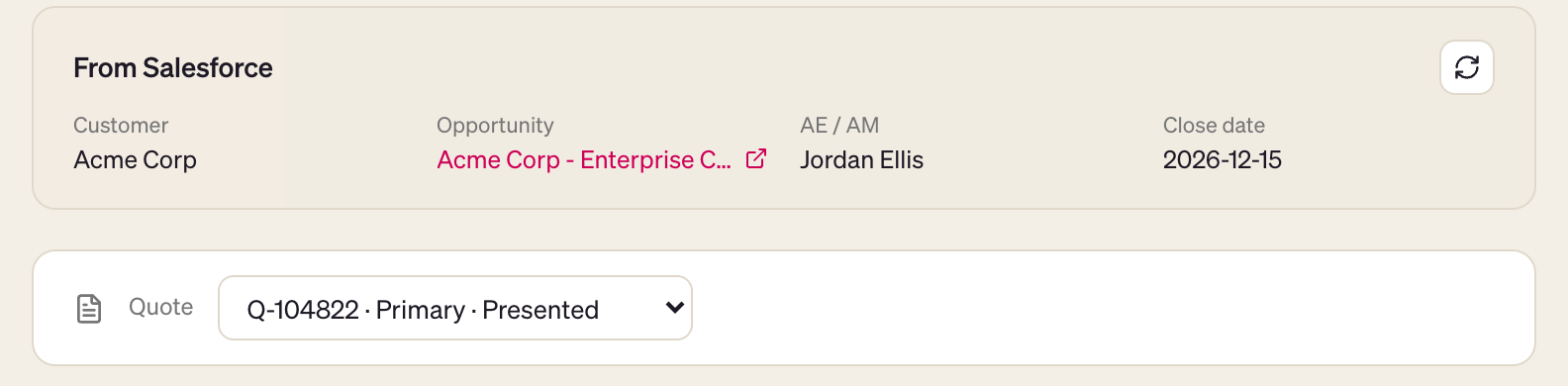
Customer, opportunity, AE and close date come from Salesforce and can't be edited here. Pick the quote you're pricing; it defaults to the primary quote.

From Salesforce card with customer, opportunity, AE and close date, and the Quote picker 1 2
  • 1Refresh from Salesforce
  • 2Quote picker
3

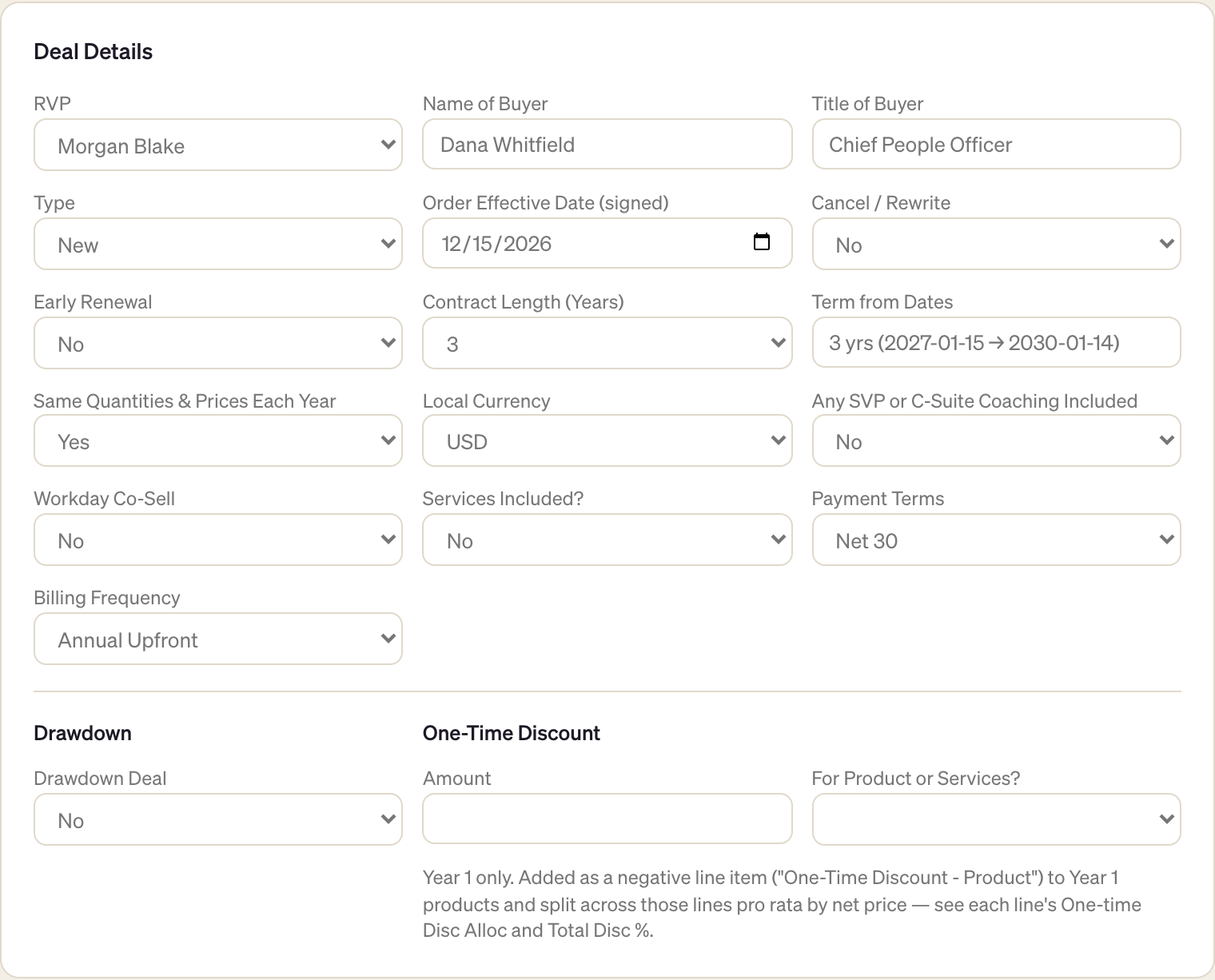
Answer every Deal Details question

Every question must be answered before you can submit. Set Cancel / Rewrite and Drawdown Deal carefully, because both change who approves.

Deal Details form filled in: RVP, buyer, type, dates, contract length, currency, payment terms, billing frequency and drawdown 1 2
  • 1Cancel / Rewrite
  • 2Drawdown Deal
4

Add products

Click Add product, set the dates and Qty, then enter a Price / License or a Disc %; the other one fills itself in. The arrow next to a line's dates copies them to every line below.

Products table with two lines, Lead and Manage, showing dates, quantity, price per license and discount 1 2 3 4
  • 1Add product
  • 2Copy dates down
  • 3Qty
  • 4Disc %
Services go in the section below, once you answer Services Included? with Yes.
5

Check the numbers, then submit

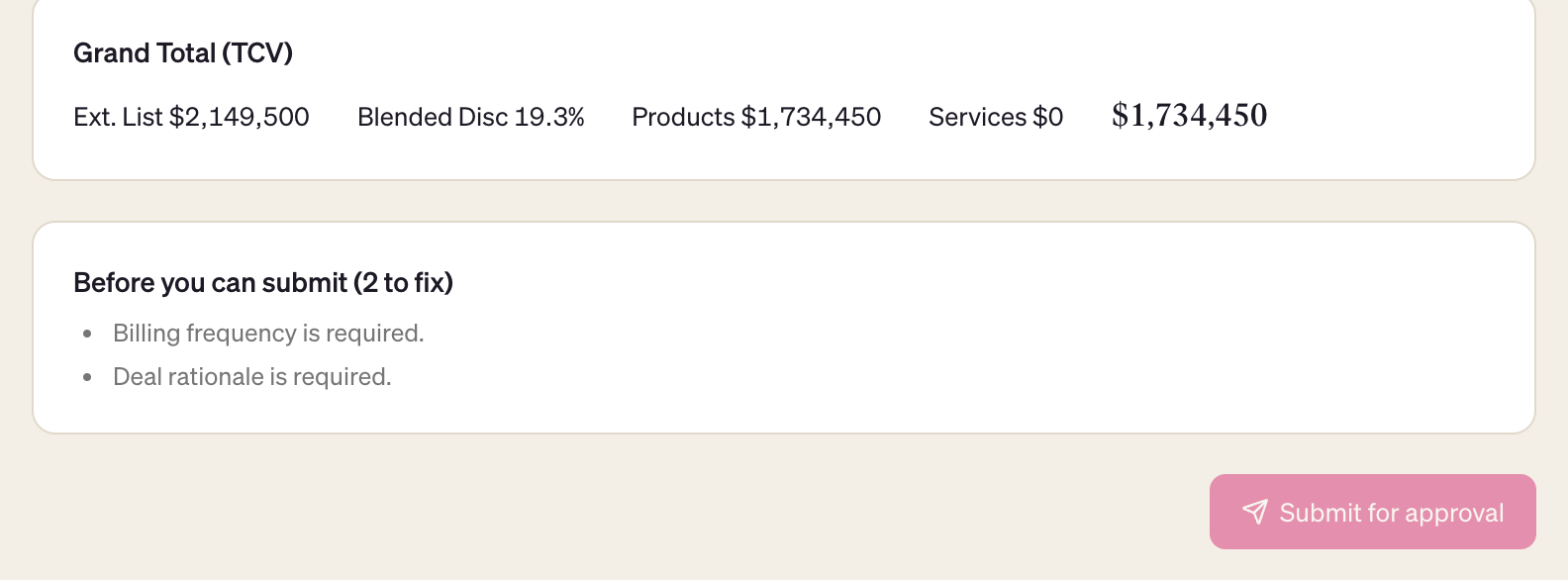
The summary strip shows TCV, ACV and Blended Discount, and On submit this goes to: names your approver. When Before you can submit is empty, click Submit for approval.

On submit this goes to line above the summary strip with Product TCV, Total TCV, Blended Discount and Calculator Required 1 2 3
  • 1Who approves
  • 2Blended Discount
  • 3Calculator Required?
Before you can submit box listing two items left to fix, above a disabled Submit for approval button 1 2
  • 1What's left to fix
  • 2Submit for approval (on once the list is empty)

What happens after you submit

Winston runs its checks and routes the calculator. Slack DMs you a receipt naming the approver.

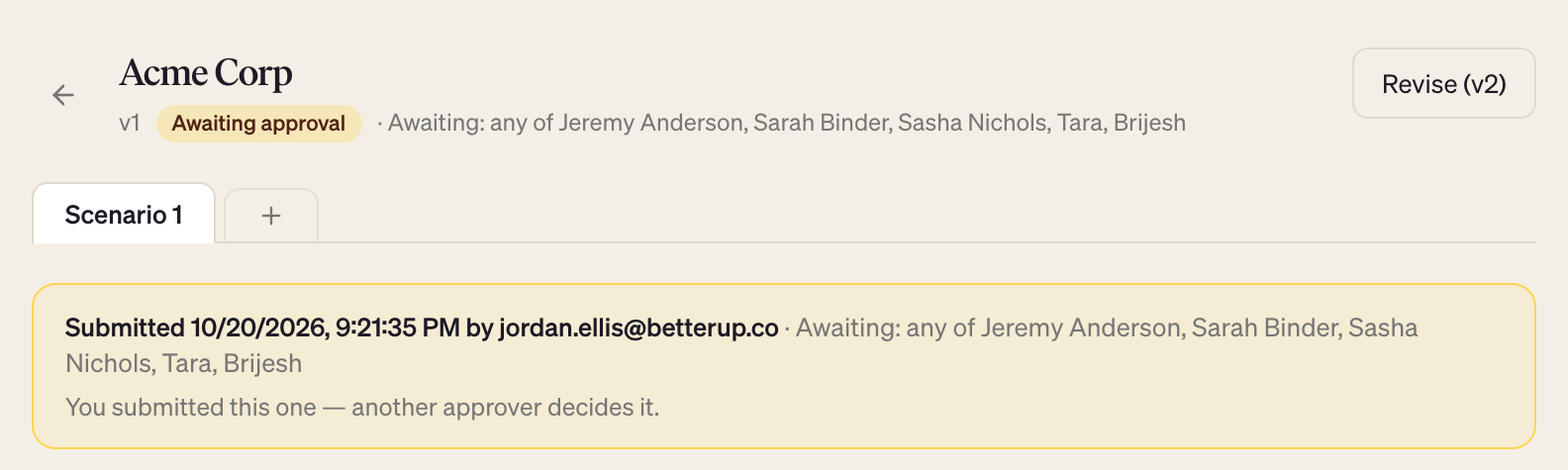
You submit · status becomes Awaiting approval
Cancel / Rewrite = Yesany deal size
Jeremy Anderson
Drawdown dealany deal size
Jeremy Anderson
Year 1 ACV $250K or more
Deal committeeany one member decides
Year 1 ACV under $250K
Tara

Checked top to bottom; the first match decides.

Approved

That version is locked in as the approved record.

Changes requested

Read the note, click Revise, fix and resubmit.

You never approve your ownWinston won't route a calculator to the person who submitted it.
Slack keeps you postedA receipt when you submit, and a DM when it's decided.
Every rework is a new versionv2, v3… Older versions stay in the history.
Calculator header showing Awaiting approval and the approvers it was routed to 1 2
  • 1Status
  • 2Who it's waiting on

FAQ

Tap a question to open it.

I got "Changes requested". What now?

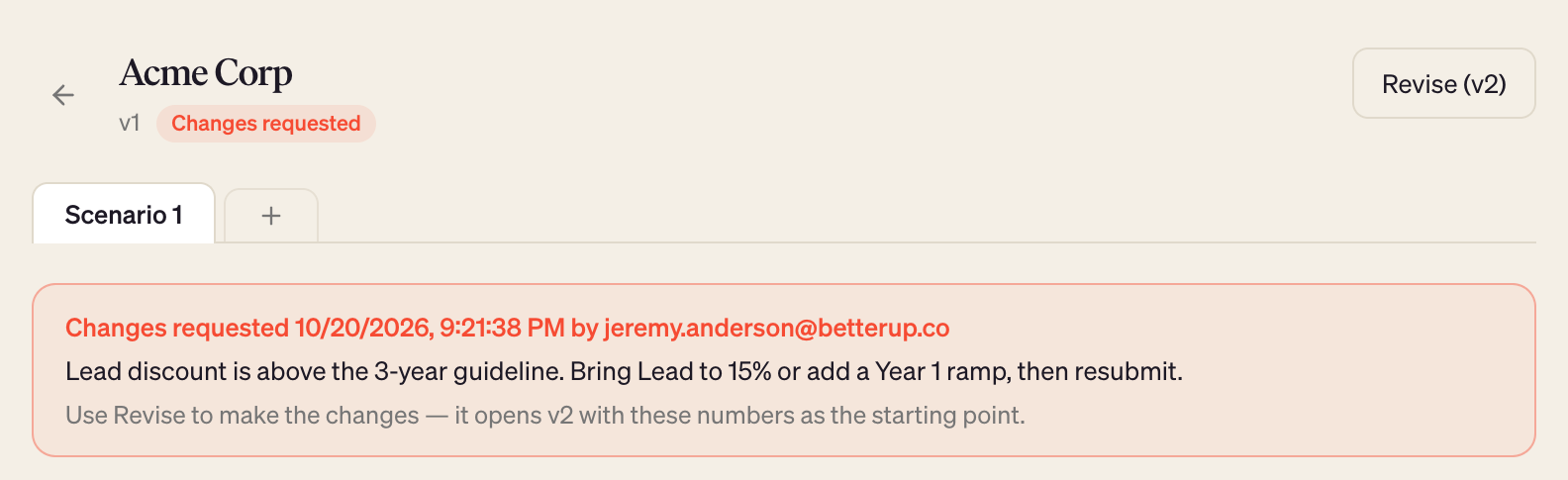
The approver's note is at the top of the calculator, and Slack DMs it to you too. Click Revise: it opens a new version with your numbers already filled in. Make the changes and submit again.

Changed your mind? Click Discard on the revision and the previous version comes back.

Changes requested banner with the approver's note and the Revise button 1 2
  • 1Approver's note
  • 2Revise
Can an approver change my numbers?

Yes. An approver can adjust the numbers and approve in one step. Slack DMs you a list of every change. If their edits push the deal into a higher approval tier, it goes to that tier instead, and you're told.

How do I change a deal that's already approved?

Open it and click Revise. The new version needs its own approval; the approved version stays on record until the new one is decided.

Can I compare two structures, like 2-year vs 3-year?

Click + on the scenario tabs. It copies the current numbers into a new tab and leaves the original alone. Edit each tab, then click Submit N scenarios for approval to send them together. The approver decides each one.

Every scenario must pass its checks first, and the set is routed at the highest tier among them. Delete a never-submitted scenario with the × on its tab.

Scenario tabs showing Scenario 1, Scenario 2 and the plus button 1
  • 1Add a scenario
A Salesforce field is wrong.

Fix it in Salesforce, then click Refresh from Salesforce (the circular arrow on the From Salesforce card). Winston re-reads the opportunity and updates only those fields.

What extra do I need for a renewal or a cancel/rewrite?

Renewal or expansion: add the customer's current order lines in the existing-order table.

Cancel / Rewrite = Yes: pick the earlier opportunity, upload its order form, tick the existing lines being cancelled and explain why. These deals always go to Jeremy Anderson.